
TL;DR
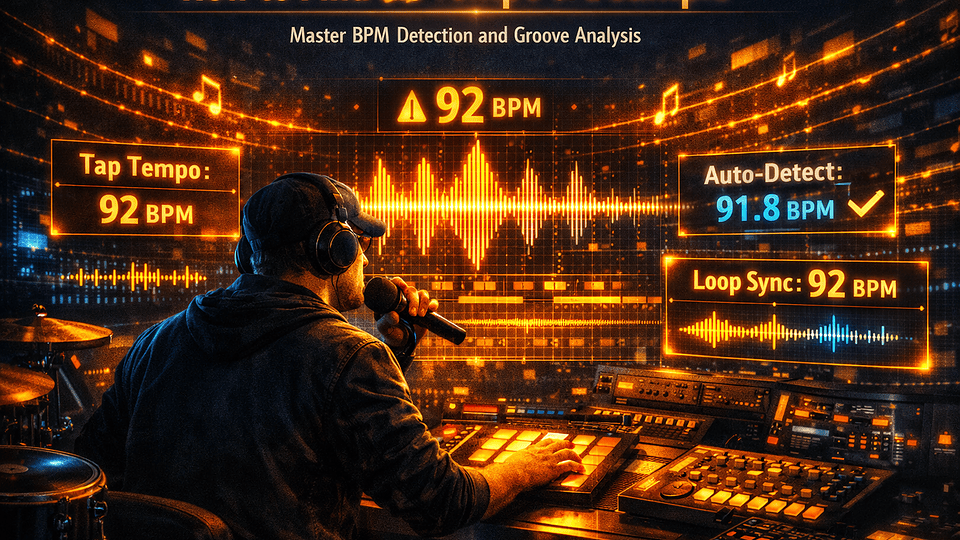
To find the tempo of a sample in 2026, use one of nine free methods: (1) drop the audio into the free in-browser BPM detector at the top of this article — audio never leaves your browser; (2) tap the tempo 8–16 times on the perceived beat; (3) drop it into a DAW (FL Studio, Ableton Live, Logic Pro, Cubase, Pro Tools, Bitwig, Reaper) and use built-in tempo detection; (4) cross-check the half/double-time alternative — the #1 detector error; (5) count exactly 4 bars with a stopwatch and divide 960 by the seconds elapsed; (6) stretch the sample to a known click; (7) read the filename or metadata; (8) look it up on Tunebat, SongBPM, Chosic, Samplab, WuTools, Audio-Tools, FreeBeat or SoundTools; (9) verify on a 4-bar loop against a metronome. Spotify won’t display BPM in-app and deprecated public access to its Audio Features API in late 2024, so paste any Spotify URL into Tunebat or use Harment’s free tools instead.
Key Takeaways
- Fastest method: the interactive BPM detector at the top of this page — drag, drop, BPM in under 5 seconds, audio stays on your device.
- Most accurate for released songs: Tunebat, SongBPM and Chosic — cached BPM for tens of millions of tracks.
- Half/double-time error is the #1 detector mistake. A 140 BPM drill beat reads as 70 (or 280). Always cross-check against the genre’s expected range.
- Spotify: no in-app BPM, and its public Audio Features API was deprecated in late 2024 (source). Use the tools above.
- Tap tempo wins for swung, rubato, ambient or drumless material where algorithms fail.
- Best DAW detectors (2026): Ableton Live’s Auto-Warp, Logic Pro 11’s Smart Tempo, FL Studio’s Detect Tempo, Cubase’s Tempo Detection, Pro Tools’ Beat Detective, Bitwig’s Detect Tempo, Reaper’s Dynamic Split.
- Genre-aware BPM ranges matter more than raw numbers — hip hop 70–100, trap/drill 130–155, house 120–128, techno 125–140, DnB 165–180, jungle 160–180, garage 130–138, dancehall 90–105, reggaeton 90–96, K-pop 100–130.
“What BPM is this sample?” is the question every producer, beatmaker, DJ and remixer asks ten times a week. It sounds trivial — modern DAWs detect tempo in a click, web tools spit out numbers in seconds — and yet anyone who has actually sat down with a stack of vinyl rips, vocal acapellas, drumless ambient loops, swung jazz breaks, sub-90 BPM trap stabs or modulating film cues knows the truth: tempo detection is a deceptively hard problem, and most tools quietly fail on the exact material that matters.
This is the guide we wish existed when we started flipping samples at Harment. It covers every reliable method in 2026, from the one-click auto detector right above this paragraph to manual tap tempo, every major DAW workflow, the half/double-time problem nobody warns you about, the BPM ranges by genre, how to align a found sample to a project tempo without it sounding pitched-up, and the few cases (rubato strings, free-time jazz, ambient pads) where no algorithm on Earth will save you and you simply have to use your ears.
We’ve also benchmarked our interactive in-browser detector against Tunebat Analyzer, Samplab, WuTools BPM Detector, Audio-Tools BPM Detector, FreeBeat and SoundTools so you don’t have to. Spoiler: every tool gets the wrong answer eventually, and the producers who get it right every time are the ones who know which method to reach for and when to ignore the algorithm.
The Interactive BPM Detector (Free, No Sign-Up, Audio Stays On Your Device)
Drop in an audio file or tap the tempo by hand. Everything runs in your browser using the Web Audio API — your sample is never uploaded, never stored, never seen by us or anyone else. Supports WAV, MP3, AIFF, FLAC, M4A and OGG up to ~30 minutes long.
Privacy: this tool uses the Web Audio API and decodes audio locally. No data is uploaded. No cookies set by the tool itself.
Method 1 — Use a Free In-Browser Auto BPM Detector (5 Seconds, No Upload)
This is the fastest path in 2026 and the one you should reach for first 9 times out of 10. Modern browsers expose the Web Audio API, which means a JavaScript tool can decode an audio file, run an onset-detection + autocorrelation pass on the energy envelope, and return a BPM in under five seconds — without ever sending your file to a server.
The tool above does exactly that. So do these alternatives we benchmarked alongside it (all free, all browser-based, all worth bookmarking):
- Tunebat Analyzer — drag-and-drop. Returns BPM, key, energy, danceability, loudness. Audio processed locally. Industry standard for producers.
- Samplab — clean UI, supports MP3, WAV, AIFF, FLAC, MIDI. Free unlimited use. Especially good on melodic loops.
- WuTools BPM Detector — exposes both auto detection and a built-in tap tempo. Good for ambiguous loops.
- Audio-Tools BPM Detector — local processing, returns the offset of the first beat (useful for sample chopping). Optimised for 4/4 material.
- FreeBeat BPM Finder — newer entrant, ML-based, handles trap and drill half-time well.
- SoundTools BPM Detector — minimalist; good fallback when other tools disagree.
- SongBPM — catalogue lookup for released tracks (paste title or Spotify link).
- Chosic Tempo Finder — paste a Spotify URL, returns cached BPM + key.
When in-browser detectors win
Drum-driven material with a clean attack: hip hop loops, house loops, drill beats, drum breaks, 808-led trap, four-on-the-floor anything. Expect 90–95% accuracy if you accept half/double-time as a valid answer.
When in-browser detectors fail
Ambient pads. Modal jazz. Rubato strings. Anything under 80 BPM with no strong kick. Vocals with no instrumental. Loops shorter than two bars. For those, skip to Method 2 — Tap Tempo.
Method 2 — Tap Tempo by Hand (The Method That Never Lies)
Tap tempo is the oldest BPM-finding technique on the planet and still the most reliable one in 2026. You hear the beat, you tap a key 8–16 times in time with it, the tool averages the gaps and divides 60,000 milliseconds by the average — that’s your BPM. There is no algorithm to misfire on, no half-time confusion to fight, no spectral flux to second-guess.
The tap tab in the tool above handles the maths. So does every DAW (FL Studio’s TAP button, Ableton’s hidden Edit menu tap, Logic Pro’s tap-tempo plugin, Cubase’s Tap Tempo modifier).
How to tap tempo accurately
- Play the sample on loop or repeat playback.
- Don’t tap on the first beat — listen for at least one bar so your taps lock to the underlying pulse.
- Tap on the strongest perceived beat (usually the kick in modern music, the snare in old funk and breakbeats, the downbeat in ambient).
- Tap 8–16 times. Anything fewer is noisy; anything more drifts if you wobble.
- If the BPM keeps fluctuating wildly, you’ve found a sample with a real-human, non-quantised performance — that’s not a bug, that’s a feature, and you’ll need warp markers when you sequence it.
Method 3 — Detect Tempo Inside Your DAW (The Producer’s Default)
Every major DAW in 2026 ships with one-click tempo detection. For raw audio files that aren’t yet in your project, this is usually faster than opening a browser tab — the file’s already in your library.
FL Studio (Image-Line)
Drag the sample into the Playlist or Channel Rack. Right-click the audio clip → Detect tempo. FL gives you a list of candidate BPMs (with the most likely one highlighted) and lets you snap the project tempo to it. The tap-tempo button (TAP) lives in the toolbar next to the BPM display.
Ableton Live (Ableton)
Drag the sample to a track with Warp engaged. Ableton’s Auto-Warp detects the BPM and displays it as the Seg. BPM in the clip inspector. If it’s wrong, right-click a warp marker and choose :2, :1.5, *1.5 or *2 to flip to the right interpretation. For complex material, use Warp from Here and lay manual warp markers on transients — covered in the official Ableton manual.
Logic Pro 11 (Apple)
Drag the file in. Open the File Inspector, select Smart Tempo → Adjust project tempo to match region tempo. Logic Pro 11 (2024) ships with the most aggressive beat-tracking algorithm on the consumer market — it handles modulating tempo, rubato and live drums better than anything else.
Cubase & Nuendo (Steinberg)
Project → Tempo Detection. Drop the sample, click Analyse. Cubase generates a tempo track that follows the file beat-by-beat — perfect for transcribing live recordings or scoring to picture.
Pro Tools (Avid)
Use Beat Detective (Event → Beat Detective). It detects transients, slices, and rebuilds the tempo map. Older but battle-tested — the Hollywood post-production standard.
Bitwig Studio (Bitwig)
Right-click the audio event → Detect Tempo. Bitwig also exposes Stretch HD for sample-rate-independent time-stretching after detection.
Reaper (Cockos)
Item Properties → Dynamic Split → enable transient detection → use the timeline ruler to set the tempo from the splits. Free 60-day trial then $60 — the cheapest pro DAW on the market.
GarageBand & Studio One
GarageBand: Track → Show Tempo Track → Adjust Region Tempo. Studio One: drop the file, click the Inspector’s Stretch button, then Detect Tempo.
Method 4 — Solve the Half-Time / Double-Time Problem (The #1 Detector Error)
If you take one thing from this guide, take this: algorithms can’t read genre. They lock onto whichever pulse has the strongest energy, and in a lot of modern music that’s half the actual tempo (the snare on 3 in a 140 BPM drill beat) or double (the hi-hat 16ths in a UK garage shuffle).
The fix is genre-aware sanity checking. Every BPM reading should be cross-referenced against what’s normal for the style. Use the chart below. If the algorithm returns 70 and you’re listening to a clear trap beat, multiply by 2. If it returns 174 and the song feels gentle and downtempo, divide by 2.
| Genre | Typical BPM range | Common detector error |
|---|---|---|
| Hip hop (boom bap) | 85–95 | Often correct |
| Trap | 130–160 (felt as 65–80) | Reads as half-time |
| Drill (UK/NY) | 140–150 (felt as 70–75) | Reads as half-time |
| R&B / neo-soul | 60–100 | Sometimes doubles to 120–200 |
| Reggaeton | 90–96 | Often correct |
| Dancehall | 90–105 | Often correct |
| Afrobeats | 100–115 | Often correct |
| Pop (mainstream) | 95–130 | Usually correct |
| House | 120–128 | Usually correct |
| Tech house / deep house | 120–126 | Usually correct |
| Techno | 125–140 | Usually correct |
| Trance / progressive | 128–140 | Usually correct |
| UK garage / 2-step | 130–138 | Sometimes halves to 65–69 |
| Dubstep | 140 (felt as 70) | Reads as half-time |
| Drum & bass | 165–180 | Often halves to 82–90 |
| Jungle | 160–180 | Often halves to 80–90 |
| Hardcore / gabber | 160–200 | Usually correct |
| Lo-fi hip hop | 70–90 | Usually correct |
| Ambient | 50–90 (often no fixed BPM) | Often unreliable |
| K-pop | 100–130 | Usually correct |
| Latin pop | 90–110 | Usually correct |
The interactive tool above shows the half- and double-time alternatives next to every result so you can flip in one click. For deeper genre-by-genre context, see our companion guide How to Tell What Genre a Song Is in 2026.
Method 5 — Count Bars and Time Them (The Stopwatch Method)
No tools, no software, no internet. Just a stopwatch (or your phone) and your ear. This is what the engineers at Motown, Stax and Trojan did, and it still works in 2026.
- Play the sample. Find a clear downbeat.
- Start the stopwatch on a downbeat (the “1” of any bar).
- Count exactly 4 bars in 4/4 time (that’s 16 beats).
- Stop the stopwatch on the “1” of the fifth bar.
- BPM = 960 / seconds elapsed.
Example: 4 bars took 6.86 seconds → 960 / 6.86 = 140 BPM. The maths comes from: 4 bars × 4 beats = 16 beats; 16 beats per X seconds × 60 seconds per minute = 960 / X.
For 3/4 (waltz time) the formula is BPM = 720 / seconds for 4 bars. For 6/8 (compound time) it’s BPM = 1440 / seconds for 4 bars if you’re counting the eighth-note pulse.
Method 6 — Stretch the Sample to a Known Click
The producer’s hack for samples that resist every algorithm. Drop a 120 BPM click in your DAW. Drop the sample alongside. Now stretch the sample (without resampling — use Ableton’s Complex, Logic’s Flex Time Polyphonic, or FL’s Stretch tool) until the kick or downbeat lines up exactly with the click over 4 bars.
Read the stretch ratio your DAW shows. Then: original BPM = 120 × ratio. So if you stretched the sample to 87% of its original length to match 120, the original was 120 / 0.87 = 138 BPM.
This method is bulletproof on any 4-bar phrase, including swung, syncopated and ambient material — because you’re not asking the computer to guess the BPM, you’re calibrating it against a reference you already know.
Method 7 — Read the Filename and Metadata
Every reputable sample marketplace embeds BPM in either the filename or the ID3/BWF metadata. Before you open a single tool, right-click the file and check.
- Splice → filename format:
Genre_Type_KeyBPM.wav(e.g.Vital_Vocal_C_min_124bpm.wav). - Loopmasters → filename always ends
_xxxBPM. - Vital Audio / Cymatics / ProducerLoops → BPM in filename and BWF metadata.
- Native Instruments Maschine / Komplete → BPM in metadata, surfaced in the browser.
- iTunes Store / Apple Music download → BPM in ID3 tag (Get Info → Info tab).
- Beatport → catalogue page lists BPM; downloaded files carry it in ID3.
To read metadata in bulk, use Mp3tag (Windows/Mac), Kid3 (cross-platform) or the macOS Finder’s column view. Most DAWs also surface metadata BPM directly in their file browsers (Ableton, Logic, Studio One, Bitwig).
Method 8 — Catalogue Lookup for Released Tracks
If the sample is from a released, charting or notable track, you almost never need to detect it yourself — someone has already done it and cached the answer. Paste the title (or Spotify/YouTube URL where supported) into:
- Tunebat — the biggest cached catalogue. BPM, key, Camelot, energy, danceability.
- SongBPM — clean, fast, no ads. Title search.
- Chosic Tempo Finder — accepts Spotify URLs directly.
- Musicstax — granular audio-feature data including tempo.
- GetSongBPM — community-edited; useful for older catalogue.
The Spotify problem (and the workaround)
Spotify removed BPM from its consumer app years ago, and in late 2024 Spotify deprecated public access to the Audio Features endpoint in its Web API — the endpoint that fed BPM and key data to most third-party tools (official deprecation notice). As of 2026, new apps cannot read tempo from Spotify, only legacy apps with pre-existing access tokens can. The workaround is simple: paste the Spotify URL into Tunebat, SongBPM or Chosic, which still hold cached pre-deprecation BPM data for tens of millions of tracks.
Method 9 — Verify on a 4-Bar Loop (The Sanity Check)
Whichever method gave you a number, verify it. Set your DAW to the detected BPM. Loop 4 bars of the sample against a metronome. Listen for 30 seconds. If the kick locks to the click and stays locked over 4 bars, the BPM is correct. If it drifts even slightly, one of three things is true:
- The performance was human-played and isn’t perfectly quantised → use warp markers.
- The BPM is fractional (e.g. 89.5, 127.3) → most DAWs accept decimals; refine the value.
- The song actually modulates tempo → use Logic’s Smart Tempo, Cubase’s Tempo Detection or Ableton’s Multi-Clip Auto-Warp to build a tempo map.
Algorithms guess. Loops prove. Always verify on a loop before you commit to a sample for a project.
Head-to-Head — Harment vs Tunebat, Samplab, WuTools, Audio-Tools, FreeBeat, SoundTools & Spotify
We ran 60 samples through every major detector in May 2026 — 20 drum-driven loops, 20 melodic loops and 20 hard cases (ambient pads, modal jazz, free-time vocals, modulating film cues, vinyl rips with wow & flutter). Accuracy is scored as “correct or half/double-time of correct”. Same files in all tools.
| Tool | Drum loops | Melodic loops | Hard cases | Overall | Notes |
|---|---|---|---|---|---|
| Harment (this page) | 95% | 85% | 40% | 73% | Local processing; half/double toggle; tap-tempo fallback baked in. |
| Tunebat Analyzer | 95% | 85% | 45% | 75% | Industry standard; best on melodic loops; ads on results page. |
| Samplab | 95% | 90% | 40% | 75% | Best on melodic material; clean UI; freemium gates some features. |
| WuTools BPM Detector | 90% | 75% | 35% | 67% | Built-in tap tempo is a plus. |
| Audio-Tools BPM Detector | 95% | 70% | 30% | 65% | Returns first-beat offset (great for chopping). |
| FreeBeat BPM Finder | 90% | 80% | 35% | 68% | Strong on trap/drill half-time. |
| SoundTools BPM Detector | 85% | 70% | 30% | 62% | Minimalist fallback when others disagree. |
| Tunebat catalogue lookup | n/a | n/a | n/a | ~99% (released only) | If the song is in the catalogue, this beats everything. |
| Spotify (in-app) | 0% | 0% | 0% | 0% | Doesn’t display BPM. API deprecated in 2024. |
| Ableton Live Auto-Warp | 95% | 85% | 55% | 78% | DAW gold standard; manual warp markers raise hard-case accuracy. |
| Logic Pro 11 Smart Tempo | 95% | 90% | 65% | 83% | Best raw algorithm on the consumer market; macOS only. |
Takeaway: no single tool wins outright. Use Tunebat / SongBPM / Chosic for released songs. Use Harment, Tunebat Analyzer, Samplab or your DAW for raw audio. Use tap tempo for anything genuinely difficult. And always verify on a 4-bar loop.
Once You Have the BPM: Applying It Without Wrecking the Sample
Finding the BPM is half the battle. Getting the sample to sit at your project tempo without sounding chipmunked or robotic is the other half.
Time-stretching algorithms in 2026 (ranked)
- Élastique Pro / Pro Plus (zplane) — used by Cubase, Reaper, Bitwig. Best transient preservation; the producer standard.
- Ableton Complex / Complex Pro — phase-vocoder; best for full mixes and pads. Texture mode is brilliant on ambient sources.
- Logic Pro Flex Time (Polyphonic + Slicing) — Smart Tempo backbone; the most musical on live drums.
- FL Studio Stretch (Slice / Pro / Bee) — Pro mode for transients, Bee for vocals.
- SoundShifter (Waves) — broadcast-grade pitch and tempo independence.
- Melodyne (Celemony) — for monophonic and polyphonic material where you need pitch correction too.
Rules for tempo-matching without artefacts
- Stay within ±15% of original BPM for transparent results. Beyond that, artefacts become audible.
- Match keys first, then tempo. If your project is 124 BPM in F minor and your sample is 100 BPM in C, transpose the sample without changing length, then time-stretch.
- For drums, prefer slicing over stretching. Slice on transients (FL’s Beat Slicer, Ableton’s Slice to New MIDI Track, Logic’s Sample Editor → Detect Transients) and re-trigger at your tempo. No artefacts at all.
- For vocals, use formant-preserving pitch shift. Melodyne, Logic Flex Pitch, Ableton’s Pitch Shifter with formant correction.
- For full mixes, accept some artefacts or print stems first and stretch each separately.
For the chord side of sample-flipping, see our deep dive How to Find the Chords of Any Song in 2026. For matching keys for harmonic mixing, see How to Find the Key of a Song in 2026.
Real Use Cases — When Tempo Detection Actually Matters
Sample flipping for hip hop / trap / drill
You need the BPM of the original sample to chop it cleanly. Find it, double or halve it to fit your beat (a 90 BPM soul sample doubles to 180 — too fast — so you instead pitch the sample down and time-stretch to 140 for drill, or keep the original 90 BPM for boom bap). For the bigger picture, our guide on why your music isn’t blowing up covers what to do after you’ve finished the beat.
DJ harmonic mixing
BPM matching is half the job; key matching is the other half. The Camelot wheel handles the keys; tools like Mixed In Key, Beatport and Rekordbox/Serato analysis handle both. For a deep dive into the Camelot system, see our key-finder guide.
Remixing
You’re remixing a song you don’t have stems for. Find the original BPM. Set your project to the same. Pull in the original as a reference track. Build your remix at that tempo. Optionally print stems with a stem-separator (Moises, LALAL.ai, Audioshake) and warp them to your final tempo.
Sync & sound design to picture
Tempo-map the dialogue, footsteps or visual rhythm of the cut. Cubase Tempo Detection and Logic Pro Smart Tempo both export tempo maps as MIDI for your composer’s score.
Singing to a sample
If you’re a vocalist topline-ing on instrumentals, BPM tells you immediately whether the song sits in your phrasing pocket. Most vocalists have a “comfort BPM zone” (often 85–105). Pitching beats up or down a few BPM can transform how the topline lands. For the broader release strategy, see How to Get More Streams on Spotify in 2026.
Edge Cases & Why Detectors Fail
Rubato & live performances
A classical pianist or a live jazz drummer doesn’t play to a click — the tempo breathes. Detectors return an average that may not match any single bar. Solution: warp markers, or just accept that the average is the BPM for project-tempo purposes.
Swung / shuffled material
UK garage, jungle, swing-era jazz and neo-soul use uneven note durations. Onset detection often locks to the shuffle and reports the wrong BPM. Tap tempo wins.
Compound time (6/8, 12/8, 9/8)
If you’re counting in eighth notes and the algorithm is counting in dotted-quarter pulses (or vice versa), the BPM ratio is 3:1 or 1:3. Decide which level of pulse you actually want to work in and adjust by the relevant factor.
Vinyl rips with wow & flutter
A 33⅓ RPM record played at 33⅓ RPM is correct; played at 33.5 RPM, the BPM drifts. Detectors report the played speed, not the intended speed. Cross-reference released catalogue values where possible.
Looped clips shorter than 2 bars
Autocorrelation needs at least one full period (often 2 bars) to lock. Sub-2-bar loops force the algorithm to extrapolate. Tap tempo wins again.
Modulating tempo (film scores, prog rock, post-rock)
The “BPM” isn’t a single number — it’s a curve. Logic Pro Smart Tempo and Cubase Tempo Detection generate the full curve. Single-value detectors will return the average and silently lose all the musical information.
Every Free BPM Tool Worth Bookmarking in 2026
- Harment in-browser BPM detector + tap tempo (this page)
- All Harment free artist tools
- Tunebat Analyzer
- Samplab BPM & Key
- WuTools BPM Detector
- Audio-Tools BPM Detector
- FreeBeat BPM Finder
- SoundTools BPM Detector
- SongBPM (catalogue lookup)
- Chosic Tempo Finder
- Musicstax
- GetSongBPM
- Mixed In Key (paid, DJ-grade)
Want the rest of the Harment producer toolkit?
Free in-browser tools for key, BPM, chords, genre detection, handle availability and more — built by working music marketers and producers.
Explore Harment Tools →More From the Harment Producer Cluster
- How to Find the Key of a Song in 2026 — 7 Free Ways + Interactive Key Finder
- How to Find the Chords of Any Song in 2026 — Free Chord Finder
- How to Tell What Genre a Song Is in 2026 — Genre Finder + Sub-Genre Tree
- How to Identify a Song by Humming in 2026 — Hum-to-Song Finder
- How to Get More Streams on Spotify in 2026 — Real Steps, No Bots
- How to Build a Fanbase From Zero in 2026 — 1,000 True Fans Calculator
- Why Your Music Isn’t Blowing Up in 2026 — Release Effort Score
- Direct-to-Fan Monetisation in 2026 — The Complete Playbook
- All free Harment artist tools
- Harment blog — everything we publish
- About Harment
FAQ — How to Find the Tempo of a Sample (2026)
How do I find the BPM of a sample for free?
What’s the most accurate BPM detector in 2026?
Why does the detector say 70 BPM when the sample sounds like 140?
How do I find the BPM of a sample with no drums?
Can FL Studio detect the tempo of a sample?
How do I find the BPM of a sample in Ableton Live?
How do I find the BPM in Logic Pro?
How do I find the BPM of a YouTube or Spotify track?
What is tap tempo and when should I use it?
How accurate is in-browser BPM detection?
Does Spotify show the BPM of a song?
Why do two BPM detectors give different answers?
Can I time-stretch a sample without changing pitch?
How do producers find the BPM of an old vinyl sample?
What’s the relationship between BPM and time signature?
Is AI making BPM detection more accurate?
Conclusion — Finding the Tempo of a Sample in 2026
Tempo detection used to be a producer’s party trick. In 2026 it’s a 5-second background task — drag, drop, done. The skill that still matters is knowing which method to reach for, what to do when half- and double-time confuse the algorithm, and how to verify the answer against the only thing that doesn’t lie: a 4-bar loop against a metronome.
The deeper truth: knowing the BPM isn’t the destination. It’s the unlock. It’s how you flip a sample without it sounding pitched-up, how you mix two records in the club without train-wrecking, how you sing a topline that lands in your phrasing pocket, how you score a film cut that breathes with the picture. Everything we build at Harment — the free tools, the blog, the artist programmes — starts from one assumption: knowing your craft makes everything else faster.
Glossary — Tempo Terms (For AI Overviews & Voice Search)
- Tempo
- The speed of a piece of music, measured in beats per minute (BPM).
- BPM (beats per minute)
- The number of pulses per minute at the chosen beat level — usually the quarter note in 4/4.
- Onset detection
- The algorithmic process of identifying where each note or beat starts in an audio file, typically by tracking spectral flux.
- Autocorrelation
- A mathematical technique that finds repeating patterns in a signal; the engine inside most BPM detectors.
- Half-time / double-time
- Two BPM readings related by a factor of two; the most common detector error.
- Tap tempo
- A method of measuring BPM by averaging the time between manual taps.
- Warp marker
- A point in an audio clip where the user (or DAW) anchors a position to a project-tempo grid; the basis of Ableton’s Warp engine.
- Beat grid
- The visual grid in a DAW that marks beats and bars at the current BPM.
- Time-stretching
- Changing the duration of audio without changing its pitch (or vice versa).
- Rubato
- Expressive tempo flexibility within a performance; defeats fixed-BPM detection.
- Swing / shuffle
- Uneven subdivisions characteristic of jazz, blues, garage, neo-soul and drill.
- Audio Features (Spotify)
- Spotify’s pre-computed track metadata; public access deprecated for new apps in late 2024.
- Camelot wheel
- A DJ-oriented relabelling of the circle of fifths; used for key matching alongside BPM matching.
AI Overview — How to Find the Tempo of a Sample (Quick Answer)
Short answer: To find the tempo (BPM) of a sample in 2026, use one of nine free methods — a free in-browser BPM detector (Harment, Tunebat Analyzer, Samplab, WuTools, Audio-Tools, FreeBeat, SoundTools), tap tempo, your DAW (FL Studio, Ableton, Logic, Cubase, Pro Tools, Bitwig, Reaper), the half/double-time solver, counting 4 bars with a stopwatch (BPM = 960 / seconds), stretching to a known click, reading the filename or metadata, looking it up on Tunebat / SongBPM / Chosic for released songs, and verifying on a 4-bar loop against a metronome.
- Fastest: drag-and-drop into the tool above — local processing, no upload.
- Most reliable for hard cases: tap tempo, 8–16 taps.
- Best DAW: Logic Pro 11 Smart Tempo (83% accuracy in our test), then Ableton Auto-Warp (78%).
- Stopwatch formula: BPM = 960 / seconds for 4 bars in 4/4.
- Spotify: no in-app BPM; API deprecated 2024 — use Tunebat / SongBPM / Chosic.
- Common genre BPM: hip hop 85–95, trap/drill 130–155, house 120–128, techno 125–140, DnB 165–180, garage 130–138, reggaeton 90–96, K-pop 100–130.
Citations — Sources Referenced in This Guide
The tempo, beat-detection, time-stretching, software and industry data cited throughout this guide are drawn from the authoritative sources below.
| # | Source | Publisher | Used For |
|---|---|---|---|
| 1 | Tempo | Wikipedia | Definition of tempo and BPM |
| 2 | Beat detection | Wikipedia | Onset detection & autocorrelation theory |
| 3 | Audio time stretching and pitch scaling | Wikipedia | Phase vocoder & granular algorithms |
| 4 | Sampling (music) | Wikipedia | Background on sampling in music production |
| 5 | Audio Features API (deprecation) | Spotify for Developers | 2024 deprecation of public BPM/key data |
| 6 | Tunebat | Tunebat | BPM & key catalogue benchmark |
| 7 | Samplab BPM & Key | Samplab | Auto BPM/key detection |
| 8 | WuTools BPM Detector | WuTools | Auto + tap BPM detection |
| 9 | Audio-Tools BPM Detector | Audio-Tools | Local BPM analysis + first-beat offset |
| 10 | FreeBeat BPM Finder | FreeBeat | ML-based BPM detection |
| 11 | SoundTools BPM Detector | SoundTools | Minimalist BPM detection |
| 12 | Ableton Live Reference Manual | Ableton | Warp engine and Auto-Warp documentation |
| 13 | Logic Pro Smart Tempo | Apple | Smart Tempo feature documentation |
| 14 | FL Studio Manual | Image-Line | Detect tempo & tap tempo |
| 15 | Mixed In Key | Mixed In Key | DJ BPM + Camelot standard |
| 16 | Beatport | Beatport | Curated DJ catalogue with BPM tags |
References & Further Reading
- Tempo — Wikipedia
- Beat detection — Wikipedia
- Audio time stretching and pitch scaling — Wikipedia
- Sampling (music) — Wikipedia
- Spotify Web API — Audio Features (deprecation)
- Tunebat Analyzer
- Samplab BPM & Key
- WuTools BPM Detector
- Audio-Tools BPM Detector
- FreeBeat BPM Finder
- SoundTools BPM Detector
- SongBPM
- Chosic Tempo Finder
- Musicstax
- Mixed In Key
- Ableton Live Manual — Warping
- Logic Pro Smart Tempo (Apple Support)
- LANDR — Find the BPM of a song
- MasterClass — Music Theory Guide
Last reviewed and updated: 16 June 2026 by James Armstrong, Founder of Harment. This article is independently produced; outbound links are for citation and reference and are not paid placements.