
TL;DR
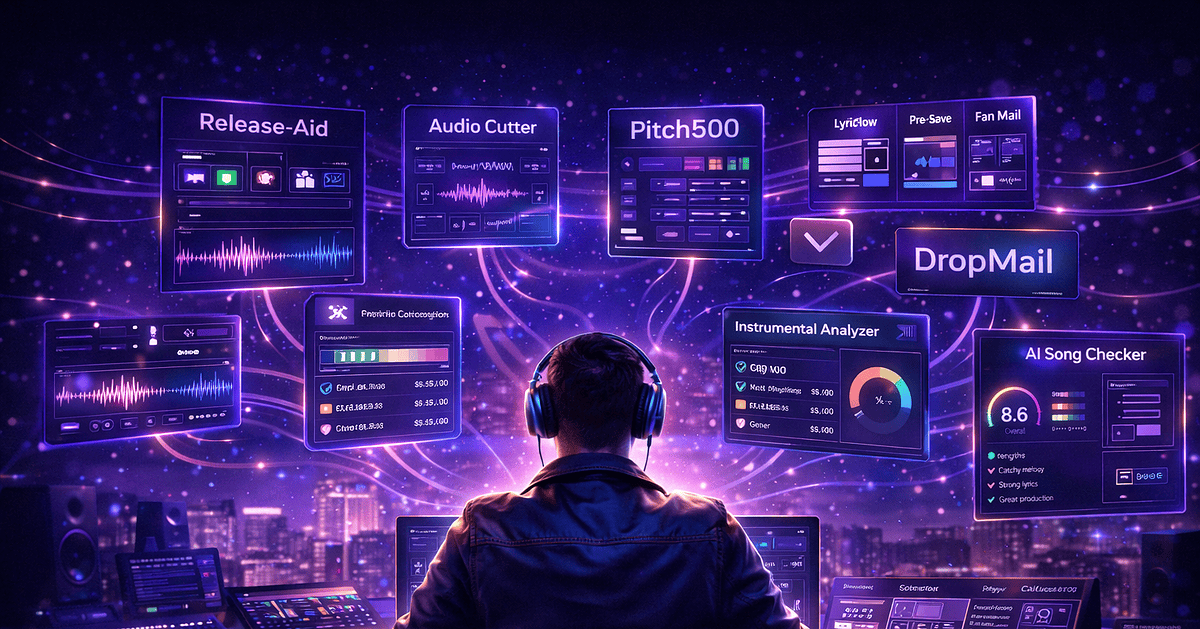
The Harment free artist toolbox gives independent musicians nine browser-based tools covering the full 2026 release cycle: Release Aid (planning), Lyric Flow (songwriting), Instrumental Analyzer (beat analysis), AI Song Checker (mix & structure feedback), Meta Aid (metadata), Pitch500 (Spotify pitches), Dropmail (email outreach), Audio Cutter (Reels & TikTok clips) and the Royalty Calculator. All free, no sign-up. With 120,000+ tracks uploaded daily to streaming services, the artists who win in 2026 are the ones using the right systems.
The independent music landscape in 2026 is more competitive — and more accessible — than ever before. According to the IFPI Global Music Report 2026, global recorded music revenue hit $31.7 billion in 2025, with paid streaming subscribers passing 837 million worldwide. At the same time, Music Business Worldwide reports that over 120,000 new tracks are uploaded to Spotify, Apple Music and other DSPs every single day. Talent alone is not enough — independent artists need a strategy, a system and the right music tools for independent artists.
That’s why Harment built a complete, 100% free toolbox at harment.co.uk/tools. Whether you’re a bedroom producer, a gigging singer-songwriter, an emerging rapper or an artist manager running campaigns, this guide walks through every Harment tool, when to use it, and how it slots into a modern music release timeline.
Why Every Independent Artist Needs a Toolbox in 2026
Think of your music career as a small business. Every successful business runs on systems and tools — and your career is no different. From planning your next single, to pitching Spotify editorial playlists, analysing your beats and forecasting royalties, there is a tool for every stage of the journey.
A 2025 MIDiA Research / Xposure Music industry survey found that 46% of independent musicians earned no money from their music in the last 12 months. The artists who do earn share one trait: they treat releases as repeatable systems, not one-off events. Harment’s tools suite is designed to give independent artists those systems — without label budgets.
1. Planning Your Music Release Timeline with Release Aid
The single biggest differentiator between artists who gain traction and those who don’t is release planning. Dropping a track without a plan is like opening a shop without telling anyone where it is. A modern campaign runs 6–8 weeks before release day and continues for 2–4 weeks after.
The 8-Week Release Timeline at a Glance
- Week 8–6: Finalise the master, artwork and metadata. Set a release date.
- Week 6–4: Upload to your distributor and submit to Spotify for Artists editorial pitching (4 weeks minimum is required).
- Week 4–2: Outreach to blogs, independent playlist curators and influencers; schedule email and social.
- Week 2–1: Daily teaser content — snippets, BTS, countdowns, pre-saves.
- Release day: Push across every channel and engage in real time.
- Post-release: Monitor analytics, share fan reactions, re-pitch playlists, plan the next move.
For the full breakdown, read the Ultimate Music Release Timeline for Independent Artists (2026).
Release Aid →
Release Aid generates a personalised, day-by-day release checklist from your drop date — an 8-week timeline covering distribution, editorial pitching, content drops, pre-saves and post-release activity.
Independent artists, managers and small labels planning a single, EP or album drop without paying for project-management software.
- Enter your release date and project type (single, EP, album).
- Get a week-by-week and day-by-day checklist auto-generated.
- Tick items off as you go — distributor upload, Spotify pitch, blog outreach, snippets.
- Export and share with your manager, producer or PR.
Pairs with: the full 8-week music release timeline and the how to release a song in 2026 guide.
2. Writing Better Pitches, Emails & Lyrics
Curators and editors receive hundreds of pitches daily. A great song with a weak pitch gets ignored; a solid pitch can open doors you didn’t know existed.
Pitch500 — The Free Spotify Editorial Pitch Generator
Pitch500 is built specifically for the 500-character Spotify for Artists editorial pitch field. It prompts you for the elements curators actually weigh — genre, mood, instrumentation, comparable artists, story and playlist fit — then formats a clean, curator-ready pitch you can paste straight into your distributor.
Pitch500 →
Generates a tight, 500-character Spotify editorial pitch that hits every box curators scan for in the first three seconds.
- Answer the prompts: genre, mood, BPM, two comparable artists, instrumentation.
- Add a one-line story (the human angle curators remember).
- Pick the playlist mood you’re targeting (e.g. Lorem, Pollen, Fresh Finds).
- Copy the 500-character output into Spotify for Artists.
Pairs with: the complete Spotify playlist pitching guide.
Dropmail — Professional Email Outreach Templates
Dropmail generates polished email templates for music blogs, independent playlist curators, sync licensing companies, venue bookers and PR contacts. Stop sending the same copy-pasted DM and start sending emails curators actually open.
Dropmail →
Ten battle-tested email templates for the contacts who actually move the needle for independent artists.
- Blog premiere pitches (with embeddable links and press-quality assets)
- Independent playlist curator outreach
- Sync licensing submissions to music supervisors
- Venue and promoter booking enquiries
- Follow-up sequences (the 90% of outreach most artists skip)
Pairs with: Harment’s managed PR and playlist services when you want pitches placed for you.
Lyric Flow — The Free Songwriting Assistant
Lyric Flow finds rhymes, builds rhyme schemes and tightens lyric structure. Perfect for rappers writing bars, singer-songwriters drafting verses and topliners writing to a beat.
Lyric Flow →
Rhyme generator, slant-rhyme finder, syllable counter and structure helper in one browser tab.
- Type the last word of your line — get perfect, near, and slant rhymes ranked by naturalness.
- Lock a rhyme scheme (ABAB, AABB, internal) and Lyric Flow flags any lines that break it.
- Use syllable counts to match cadence to your beat’s BPM.
- Drop the verses into your DAW or notepad and write the topline.
Want pitches placed for you?
Harment’s music promotion services include managed Spotify playlist pitching, music blog PR and influencer campaigns.
Explore Harment Promotions →3. Analysing Your Instrumentals & Songs
Before you release anything, you need to know if the track is up to standard. Is the mix balanced? Does the arrangement hold? Is the vocal sitting right? These are the questions that separate amateur releases from professional ones.
Instrumental Analyzer — BPM, Key & Energy Detection
Instrumental Analyzer automatically detects tempo (BPM), key signature, energy and structural patterns of any beat. Use it to:
- Match instrumentals to the right vocalist or topliner
- Keep tempo and key consistent across an EP or album
- Target your beats at specific playlist moods and tempos
Instrumental Analyzer →
Drop in any beat or instrumental and get BPM, key, energy and structural breakdown within seconds — no plugins, no DAW required.
- Match instrumentals to the right vocalist or topliner
- Keep tempo and key consistent across an EP or album
- Target your beats at specific playlist moods and BPM windows
- Verify a purchased beat’s claimed key before recording
AI Song Checker — Objective AI Music Analysis
AI Song Checker uses AI to evaluate finished tracks for mix quality, vocal performance, song structure and commercial viability — the kind of objective, data-driven feedback that’s hard to get from friends and family. Think of it as a 24/7 A&R in your pocket.
AI Song Checker →
Uploads a finished master and returns a scored report across mix, vocal, structure, arrangement and commercial-fit dimensions.
- Mix balance score — low end, midrange, top end and stereo image
- Vocal performance and intelligibility analysis
- Structural map — intro length, drop placement, bridge presence
- Commercial-viability indicators benchmarked against current charting tracks
- Specific, actionable revision notes (not just star ratings)
4. Metadata & Distribution Prep with Meta Aid
Bad metadata is the silent killer of independent releases — misspelled artist names, missing ISRCs, unclear contributor splits and incorrect language fields all cost playlist placements, royalty collection and search visibility.
Meta Aid →
Meta Aid generates and formats distributor-ready release metadata — track titles, ISRC, ISWC, songwriter and producer credits, contributor splits, language fields, explicit flags and primary/featured artist roles.
Self-releasing artists, producers managing splits across collaborators, and managers preparing a clean submission to DistroKid, TuneCore, AWAL, Ditto or CD Baby.
- Paste in your provisional title, artist name and collaborators.
- Meta Aid validates naming conventions (e.g. “feat.” vs “ft.”, capitalisation).
- Add ISRC/ISWC if you have them — or flag for your distributor to mint.
- Copy the cleaned block straight into your distributor upload form.
Pairs with: Pitch500 for editorial submission and the release timeline for upload deadlines.
5. Calculating Royalties & Earnings
Understanding your money is just as important as making your music. Yet most independent artists have no idea what they should be earning per stream — let alone how the payout differs between Spotify, Apple Music, YouTube Music, Tidal, Deezer and Amazon Music.
How the Royalty Calculator Works
Royalty Calculator lets you input stream counts per platform and instantly see projected revenue. It’s essential for:
- Setting realistic income targets — know exactly how many streams you need.
- Comparing platform payouts — Tidal and Apple Music typically pay 2–3× Spotify’s per-stream rate.
- Planning a release budget — match promo spend to expected return.
- Negotiating with labels and distributors — know your numbers before the meeting.
Royalty Calculator →
Model your monthly and annual streaming revenue across Spotify, Apple Music, YouTube Music, Tidal, Amazon Music and Deezer.
- Enter monthly stream counts per platform (or one total figure to split).
- See gross payout, distributor cut and net to artist.
- Toggle currency between GBP, USD and EUR.
- Export the breakdown for tax filings or label meetings.
6. Editing Audio & Preparing Snippets
Sometimes you don’t need a full DAW session — you need a 15-second hook for Reels, a 30-second snippet for TikTok or a clean intro for a playlist submission. That’s where free browser-based audio editing earns its place in your toolbox.
Audio Cutter →
A browser-based audio cutter and trimmer — no install, no sign-up, no watermark. Upload a WAV or MP3, mark in/out points on the waveform, and export.
Artists who need fast, repeatable social snippets without firing up a full DAW for every clip — and DIY teams without an editor on call.
- Upload your master or rough mix.
- Drag the markers to your hook, chorus or pre-chorus.
- Export 15s for TikTok, 30s for Reels, 60s for YouTube Shorts.
- Trim long intros before sending to your distributor.
Pairs with: Release Aid to schedule snippet drops across your 8-week campaign.
7. Promoting Your Music Strategically
Effective music promotion in 2026 is not about doing one thing well — it’s about coordinating multiple channels at once.
- Playlist pitching: Use Pitch500 for editorial submissions and Harment’s managed playlist promotion for curated placements.
- Email outreach: Use Dropmail templates to reach blogs, magazines and influencers.
- Social media content: Use Audio Cutter to cut platform-native snippets.
- Managed campaigns: Browse Harment’s promotion services, case studies page to see results.
Learn From Independent Artists Already Growing
Study artists actively building careers on the Harment Artist Showcase — featured acts include Creepzz, Gemini, Kosi, Synxthetic, Vyking and Rast Dias.
8. Using AI Tools to Improve Your Music
AI is transforming the music industry — and independent artists stand to benefit the most. Major labels have had data-driven insight for years; in 2026 AI music analysis tools are free for everyone.
- Pre-release QA: Run finished masters through the AI Song Checker for mix, structure and commercial-viability feedback.
- Beat analysis: Use the Instrumental Analyzer to surface BPM, key and energy data.
- Lyric refinement: Let Lyric Flow suggest rhyme patterns and tighten structure.
- Strategic planning: Combine AI insight with Release Aid to choose the right release window.
If you want label-level support, explore the Harment Label for artist development, distribution and promotional backing.
9. Common Mistakes Independent Artists Make (and How Tools Fix Them)
1. Releasing without a plan
Without a structured timeline you miss editorial windows, lose anticipation and waste algorithmic momentum. Fix it with Release Aid.
2. Sending generic pitches
Copy-paste pitches get deleted instantly. Pitch500 forces concision; Dropmail keeps emails professional.
3. Ignoring the business side
Music is art; a career is a business. Track payouts with the Royalty Calculator.
4. Submitting messy metadata
Misspelled names and missing splits block playlist consideration and royalty collection. Use Meta Aid before every distributor upload.
5. Never seeking honest feedback
Not every track is release-ready. The AI Song Checker gives objective input you can’t get from your group chat.
6. Doing everything alone
Independence isn’t isolation. Use Harment’s promotion services when it counts.
10. Long-Term Growth & Career Development
Build your catalogue
More quality releases = more discovery surfaces. Run every release through the same pipeline: plan with Release Aid, write with Lyric Flow, analyse with AI Song Checker, format with Meta Aid, pitch with Pitch500 and forecast with the Royalty Calculator.
Build your brand
Read the 9-Step Guide to Building a Strong Artist Brand in 2026 and the 2026 guide to promoting music without a record label.
Study the industry
Stay current via the Harment Blog, the FAQ and the label discography.
Network & collaborate
Connect with featured acts on the Artist Showcase. Want to work with Harment? Visit careers, learn about the team, join the affiliate programme or read recent case studies.
11. Frequently Asked Questions
What tools do independent artists really need in 2026?
Are Harment’s artist tools really free?
Can I release music without expensive software?
How can AI help me improve my songs?
How long should a music release campaign take?
What is the best free Spotify pitch generator?
How much do streaming services pay per stream in 2026?
In what order should I use the Harment tools for a single release?
Are these tools suitable for artists outside the UK?
Your Toolbox Is Ready — Start Building
The independent music landscape has never been more empowering. With the right tools, a clear strategy and consistency, any artist can build a real career on their own terms — and with Harment, you don’t need a label budget to access professional-grade resources.
Start by exploring the full tools suite. Plan your next release with Release Aid. Sharpen your pitches with Pitch500. Format your metadata with Meta Aid. Analyse your music with the AI Song Checker. And when you’re ready to amplify your reach, let Harment Promotions handle the heavy lifting.
Your music deserves to be heard. These tools make sure it is.
Ready to level up your release?
Browse Harment’s full range of 29+ professional music promotion, branding and artist development services — with a price match guarantee.
Explore Harment Services →