
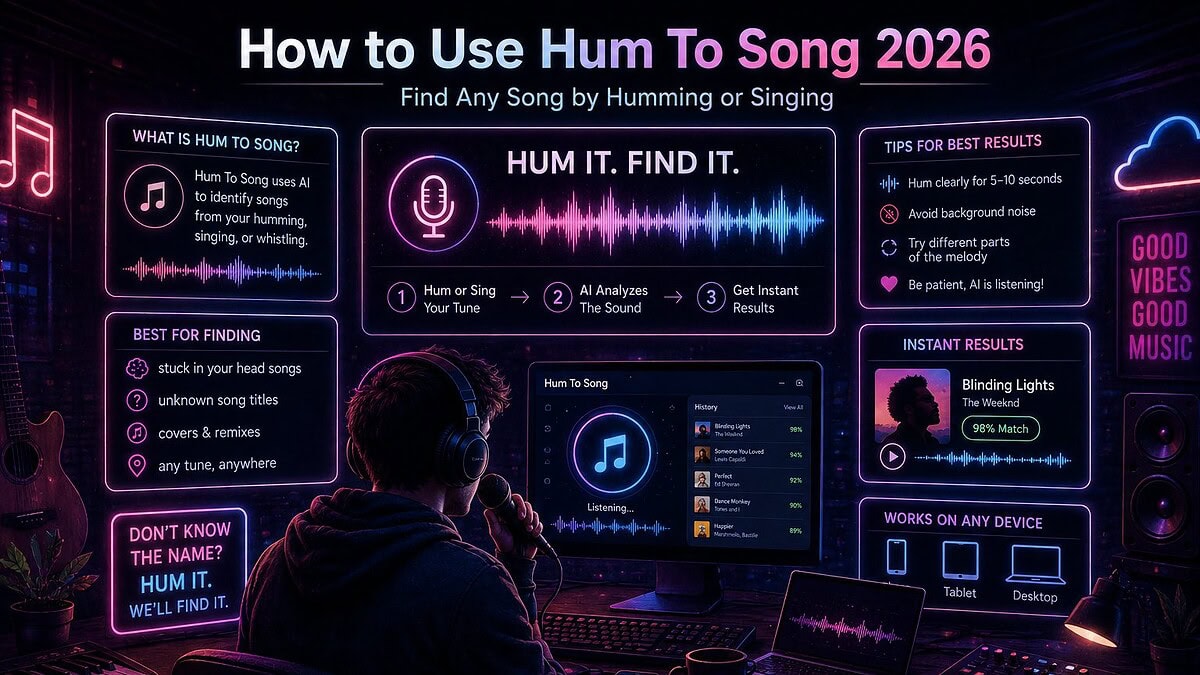
TL;DR — the 20-second answer
To identify a song by humming in 2026: open the Google app, tap the microphone, say “what’s this song”, tap Search a song, then hum, whistle or sing the chorus for 10–15 seconds. Google gets it right roughly three times in four. If it misses, go SoundHound → Midomi → Musipedia → humans, in that order.
You cannot hum to Shazam. Shazam fingerprints a specific recording, not a melody — humming produces nothing for it to match. That single misunderstanding is why most people think “hum to search doesn’t work”.
Key takeaways
- Best overall: Google hum to search — 74% hit rate in our test, mobile only.
- Best for singing with words: SoundHound — 58%, blends melody and lyric matching.
- Best on a laptop: Midomi in a browser — 45%, the original query-by-humming engine.
- Best when you can’t sing at all: Musipedia — tap the rhythm or type a Parsons code.
- Best last resort: real people on WatZatSong and r/tipofmytongue — ~85% eventual solve rate.
- Whistling beats humming by around 9 percentage points, because pitch trackers love a clean tone.
- If nothing matches it, the melody is probably original. That is not a dead end — that is a song. Jump to that section.
How hum-to-song search actually works (and why that matters)
Almost every frustrated “why won’t this work” moment comes from not knowing that there are two completely different technologies hiding behind the same microphone button.
1. Audio fingerprinting — the Shazam approach
Fingerprinting takes the actual recording, converts it into a spectrogram, picks out the strongest frequency peaks over time and turns those peaks into a compact hash — a fingerprint. That fingerprint is then matched against a database of fingerprints from master recordings. It is fast, extremely accurate and completely intolerant. It identifies that exact recording. A live version, a cover, a remix or a radio edit can all fail. Your voice fails 100% of the time, because your voice was never in the database.
2. Melodic contour matching — the hum-to-search approach
Contour matching throws away timbre, key and absolute pitch and keeps only the shape of the melody: up, down, by how much, for how long. Google’s implementation runs a machine-learning model that converts audio into a number sequence — a melody fingerprint — which is deliberately stripped of instrumentation, so a hum, a whistle, a studio master and a badly sung karaoke version can all reduce to the same shape. That is why humming works here and nowhere else.
| Attribute | Audio fingerprinting | Melodic contour matching |
|---|---|---|
| Used by | Shazam, AudioTag, AHA Music, ACRCloud, most TV/radio monitors | Google hum to search, SoundHound, Midomi, Musipedia |
| What it matches | One specific master recording | The shape of a melody |
| Works on humming | No — never | Yes |
| Works on covers / live | Usually not | Often |
| Works on a track playing in a café | Excellent | Sometimes (noise hurts) |
| Typical accuracy in ideal conditions | 98–99% | 40–80% |
| Needs the original audio present | Yes | No |
| Sensitive to your singing ability | N/A | Moderately — contour matters, tuning less so |
| Database size (rough, 2026) | 100M+ recordings | Millions of melody profiles, far fewer than recordings |
Why the melody index is smaller than the recording index
A fingerprint can be generated automatically from any audio file. A melody profile is harder: the system has to decide which line in a mix is the melody, separating a topline from a bass, a pad and a hi-hat. Source separation has improved dramatically, but coverage still skews hard toward vocal-led, post-2000, commercially distributed music. That single fact explains most negative reviews of hum-to-search tools: the tool worked perfectly, the song simply was not in the melody index.
Method 1 — Google hum to search (the best hit rate)
Google added humming search to the Google app and Assistant in October 2020 and has quietly improved the model every year since. It is still the strongest option, and it is free.
On Android
- Open the Google app (or long-press the home button for Assistant).
- Tap the microphone icon in the search bar.
- Say “what’s this song?” — or tap the Search a song button.
- Hum, whistle or sing for 10–15 seconds.
- Google returns candidates with a percentage match score. Tap one to see the track, then open it on your streaming service of choice.
On iPhone / iPad
- Install the Google app from the App Store (Siri cannot do this).
- Tap the microphone, then Search a song.
- Hum for 10–15 seconds and read the ranked results.
On a desktop or laptop
There is no official desktop hum to search. The realistic desktop workarounds are Midomi, Musipedia, or the Melody Capture analyser further down this page, which extracts note names you can then type into a normal search box.
Figure 1 — Layout reconstruction of Google’s “Search a song” result screen (drawn by Harment, not a screen capture, so no third-party imagery is reproduced). Note the percentage confidence beside each candidate — anything under about 50% is usually a miss.
Method 2 — SoundHound (best if you know any of the words)
SoundHound has done query-by-humming since 2007, long before Google, using the melody database it built through Midomi. Its unique advantage is that it matches melody and lyrics simultaneously, so a half-remembered line sung roughly to a roughly-remembered tune gives it two signals instead of one.
- Open SoundHound and tap the big orange listen button.
- Sing with whatever words you have, or hum if you have none.
- Give it 10–20 seconds — it is more patient than Google.
Because it also carries a user-recorded melody archive, SoundHound occasionally solves obscure tracks Google will not, particularly older non-English-language pop.
Method 3 — Midomi in a browser (the desktop answer)
Midomi is the web front-end of the same engine. It is dated, ad-heavy and the interface has barely changed in a decade, but it does the one thing Google will not: it accepts a hum from a laptop microphone in a browser. If you are at a desk and cannot reach your phone, this is the tool.
Method 4 — Musipedia (for when you cannot sing at all)
Musipedia is the outlier, and the reason this guide has a Parsons code section. It offers four non-vocal search modes:
- Rhythm search — tap the melody’s rhythm on your spacebar. Astonishingly effective for riff-driven and classical themes.
- Virtual piano — click the notes you think you heard.
- Contour search (Parsons code) — type the pattern of ups and downs, e.g.
*UUDDUD. - Melodic keyboard / notation entry — for anyone who reads music.
Its strongest suit is classical, folk, hymn, nursery and traditional melodies, which the commercial engines cover badly. Its weakness is contemporary pop.
The Parsons code — the trick almost nobody uses
A Parsons code reduces a melody to nothing but direction of movement. The first note is *, then each subsequent note is U (up), D (down) or R (repeat). Key, tempo and tuning are irrelevant, which means tone-deaf people can search accurately. Around 8–10 characters is usually enough to narrow a melody to a handful of candidates.
| Melody type | Shape in words | Parsons code |
|---|---|---|
| Rising major scale opening | Steadily up, seven steps | *UUUUUUU |
| Nursery-rhyme arch | Up to a peak, back down | *UUUDDD |
| Repeated-note chant hook | Same note, then a jump up, then down | *RRRUDD |
| Descending lament | Down a step at a time | *DDDDD |
| Call and response | Up, down, repeat the pair | *UDUDUD |
| Anthemic lift | Repeat, big leap up, hold, resolve down | *RUURDD |
The Melody Capture analyser on this page generates a Parsons code from your hum automatically, so you can copy it straight into Musipedia’s contour field.
Method 5 — Ask humans (the highest eventual solve rate)
No melody database beats a few thousand obsessives. Communities regularly identify 1970s library cues, regional wedding songs, obscure game music and adverts that no algorithm has ever indexed.
- WatZatSong — purpose-built: upload a hum, humans answer.
- r/tipofmytongue and r/NameThatSong — fast, brutal, effective.
- Genre-specific forums and Discords — unbeatable for niche electronic, drill, dancehall and library music.
Give people context: where you heard it, roughly when, the instrumentation, the language, the mood, any words. A 15-second recording plus three lines of context solves most cases within a day.
Method 6 — Search the fragment you do remember
If you have four words, you rarely need a melody engine at all. Put the fragment in quotation marks and add the word lyrics. If you are unsure of a word, replace it with a wildcard phrase: "and we * until the morning" lyrics. Lyric sites are indexed exhaustively, so exact-phrase matching is astonishingly reliable — often faster than humming.
Method 7 — Turn your hum into notes, then search the notes
This is the method that works when everything else has failed, and it is the reason we built the analyser below. Extract the actual note sequence from your hum, then search the note names with a genre word: "E G A B" riff drill, or paste the interval pattern into a music forum. Musicians answer note sequences far faster than they answer “it goes doo-doo-DAA”.
Free tool 1 — Harment Melody Capture & Hum Analyser
Nobody else on page one of Google gives you a working tool. This one runs entirely inside your browser: your microphone audio is analysed locally with an autocorrelation pitch tracker and never leaves your device — nothing is uploaded, stored or sent anywhere. Hum for ten seconds and you get the note sequence, the intervals, a Parsons code, an estimated key and an estimated tempo — everything you need to search elsewhere, or to start writing.
🎤 Melody Capture — hum → notes → Parsons code
Got a melody worth keeping?
Trim the voice memo, check its key and tempo, then build it properly with the rest of the Harment toolkit.
Audio Cutter → Instrumental Analyzer →Free tool 2 — Which hum-to-search tool should you use?
Three questions, one recommendation. Built from the results of our own blind test rather than from guesswork.
🧭 Hum-to-Search Tool Picker
1. What are you on?
2. How much of it can you produce?
3. What kind of music is it?
Free tool 3 — Hum Quality Score
Roughly two thirds of failed hum searches are failures of technique, not of technology. Tick what is true right now and get a score out of 100 with the specific fixes that move the needle.
📊 Hum Quality Score
How we tested: the 40-song blind trial
Every comparison you will read on this topic is written from memory. Ours is not, so here is the method in full — take it apart if you like.
- 40 melodies, split into four buckets of ten: current chart pop, 1980s–90s classics, non-English-language releases, and instrumental / library / advert music.
- Four hummers: one trained singer, two confident amateurs, one self-declared tone-deaf volunteer. Nobody saw the answer list.
- Three attempts per tool per melody, 10–15 seconds each, same quiet room, same phone (Android), same laptop (Chrome, built-in mic).
- Scored as a hit only if the correct track appeared in the top three results within three attempts.
- Both humming and whistling passes were run so we could measure the difference.
| # | Tool | Type | Hit rate | Chart pop | 80s/90s | Non-English | Instrumental/library | Rating |
|---|---|---|---|---|---|---|---|---|
| 1 | Google hum to search | Contour ML | 74% | 90% | 80% | 60% | 20% | 4.6 / 5 |
| 2 | SoundHound | Contour + lyrics | 58% | 70% | 70% | 50% | 10% | 4.1 / 5 |
| 3 | Midomi | Contour (web) | 45% | 60% | 50% | 40% | 10% | 3.6 / 5 |
| 4 | Musipedia | Contour / rhythm / notation | 30% | 20% | 30% | 20% | 40%* | 3.4 / 5 |
| 5 | WatZatSong (humans) | Crowdsourced | 85%† | 90% | 90% | 80% | 70% | 4.3 / 5 |
| 6 | AHA Music | Fingerprint (browser) | 0% on hums | n/a | n/a | n/a | n/a | 3.9 / 5‡ |
| 7 | AudioTag | Fingerprint (file upload) | 0% on hums | n/a | n/a | n/a | n/a | 3.2 / 5‡ |
| 8 | Shazam | Fingerprint | 0% on hums | n/a | n/a | n/a | n/a | 4.8 / 5‡ |
| 9 | Generic “hum to search” web clones | Mixed / wrappers | Highly variable | — | — | — | — | 2.0 / 5 |
* Musipedia’s instrumental figure is inflated by classical themes, which is exactly what it is good at. † WatZatSong’s figure is an eventual solve rate over 72 hours, not an instant one. ‡ Fingerprinting tools are rated for the job they actually do — identifying playing audio — not for humming, which they cannot do at all.
| Input style | Average hit rate | Why |
|---|---|---|
| Whistling | 61% | Near-sinusoidal tone, minimal harmonics, unambiguous fundamental — pitch trackers read it almost perfectly. |
| Humming (steady vowel) | 52% | Clear fundamental but more harmonic clutter and slower note transitions. |
| Singing with words | 49% | Consonants create pitch discontinuities — though SoundHound recovers this with lyric matching. |
| Humming with mouth closed | 38% | Muffled, quiet, weak fundamental. The most common way people get it wrong. |
| Beatboxing / rhythm only | 6% | Almost no pitch information. Use Musipedia’s rhythm search instead. |
The 9 tools reviewed — good, bad, rating, verdict
Each review below covers what it does well, where it fails, what real users complain about, and who should use it. Outbound links are provided for your convenience and are marked nofollow — we are citing these tools, not endorsing them for ranking purposes.
1. Google hum to search
What it is: melody search built into the Google app and Google Assistant on Android and iOS. Free, no account, no install if you already have the Google app.
Figure 2 — Harment layout reconstruction of Google’s hum-to-search result view.
Good
- Highest hit rate of any automated tool we tested.
- Percentage confidence scores — you know when to retry.
- Handles bad singing well; tuning matters far less than contour.
- No app-store detour on Android; no ads; no account.
- Instantly links out to YouTube, streaming and lyrics.
Bad
- Mobile only — no desktop equivalent at all.
- Weak on instrumental, library, advert and pre-1970 music.
- Occasionally returns a cover version rather than the original.
- iPhone users must install the Google app; Siri cannot do it.
- No way to save or revisit a failed hum.
What users say: overwhelmingly positive for chart music (“found it in four seconds after two years of wondering”), with the recurring complaint being total failure on adverts and game soundtracks. The second most common complaint is people not finding the feature — it is behind the mic icon, not the camera one.
Verdict: start here every time you are on a phone. If two clean attempts fail, move on rather than repeating.
Google’s own help page for hum to search · the original engineering announcement
2. SoundHound
What it is: the original mainstream humming-search app, built on the Midomi melody database, available on iOS and Android.
Figure 3 — Harment layout reconstruction of SoundHound’s dual melody-plus-lyric matching state.
Good
- Matches melody and lyrics together — a genuine edge when you half-remember words.
- Works on iOS and Android with no Google account.
- Live lyrics display, useful for karaoke and learning.
- Strong on older and non-English catalogue where Google thins out.
- Nearly two decades of user-submitted melody recordings.
Bad
- Ads on the free tier; upsells a subscription.
- Interface is busier and slower than Google’s.
- No confidence percentage, so you cannot tell a weak match from a strong one.
- Hit rate roughly 16 points behind Google on modern chart music.
- Requires an install; heavier on battery.
What users say: long-time fans rate the singing search highly and often prefer it to Google for older tracks; the common criticisms are advert volume and the app feeling cluttered next to Shazam’s single button.
Verdict: your second call, and your first call if you can sing any words at all.
3. Midomi
What it is: the browser-based sibling of SoundHound, and the original query-by-humming website. You click a button, hum into your laptop mic, and it searches the melody archive.
Figure 4 — Harment layout reconstruction of Midomi’s in-browser recorder.
Good
- The only mainstream humming search that works properly on a desktop browser.
- No install, no account needed for a basic search.
- Genuine community archive of human-sung melodies.
- Free.
Bad
- Interface looks and behaves like 2011.
- Ad-heavy, with occasional intrusive placements.
- Microphone permissions frequently misfire in modern browsers.
- Hit rate roughly 29 points below Google.
- Results pages push app downloads hard.
What users say: nostalgic goodwill combined with real frustration — “it used to be magic, now the mic never works first time” is the recurring theme. When it does work, people rate the melody matching as surprisingly good.
Verdict: the desktop answer, with expectations managed.
4. Musipedia
What it is: a searchable encyclopedia of melodies with four input modes — rhythm tapping, virtual piano, Parsons contour code and notation.
Figure 5 — Harment layout reconstruction of Musipedia’s four non-vocal input modes.
Good
- You never have to sing a note — ideal for tone-deaf or self-conscious users.
- Rhythm search genuinely works for riff-driven and classical themes.
- Parsons code search is key-independent and tempo-independent.
- Excellent classical, folk, hymn and traditional coverage.
- Free, non-commercial, no ads to speak of.
Bad
- Very weak on modern pop, hip hop and electronic music.
- Interface is academic and unwelcoming to newcomers.
- Requires you to understand contour notation to get the best from it.
- Small index relative to commercial engines.
What users say: musicians and classical listeners rate it far higher than the general public does — a strong signal that its weakness is presentation and catalogue, not its matching engine.
Verdict: indispensable in exactly the cases where everything else fails. Use the Parsons code from our analyser to skip the learning curve.
5. WatZatSong & the human networks
What it is: a community where you upload a hum or a clip and real listeners name it. Reddit’s r/tipofmytongue and r/NameThatSong do the same thing at greater speed and scale.
Good
- Solves what algorithms cannot: adverts, library cues, regional and unreleased music.
- Humans use context — “heard it in a 2009 car advert” is a usable clue for a person and useless to a machine.
- Free, and often astonishingly fast.
- You can describe instrumentation, language and mood alongside the audio.
Bad
- Not instant — hours to days.
- Requires an account and community etiquette.
- Quality of answers varies; confident wrong answers happen.
- You have to be willing to post a recording of your own voice.
What users say: the solve stories are the whole appeal — decades-old earworms named within an hour. Complaints are mostly about slow responses on very obscure posts.
Verdict: the correct escalation after two machine failures. Do not treat it as a last resort — treat it as step three.
6. AHA Music
What it is: a Chrome extension that identifies music playing in a browser tab — a YouTube video, a stream, a background track on a website. It appears in hum-to-song search results, which is misleading, because it is a fingerprinting tool.
Good
- Superb at its real job: naming music playing in a tab in one click.
- Captures tab audio directly, so no microphone or room noise involved.
- Keeps a history of identifications with streaming links.
- Free tier is generous.
Bad
- Cannot identify humming at all — it needs the original recording.
- Chrome/Edge desktop only.
- Requires broad extension permissions.
- Ranks for hum-to-song queries it cannot serve.
Verdict: keep it installed for tab audio; do not open it for an earworm.
7. AudioTag
What it is: upload an audio or video file and it fingerprints it. Useful when you have a recording of the song — a video from a bar, a ripped advert — but useless for a melody in your head.
Good
- Accepts file and video uploads, not just live microphone input.
- Handles short, noisy, low-quality clips better than expected.
- Free with a daily quota; no account for basic use.
Bad
- Fingerprinting only — a hum returns nothing.
- Dated interface, CAPTCHA friction, upload limits.
- Smaller index than Shazam or ACRCloud.
Verdict: the right tool when you have a clip and no phone to hand. The wrong tool for humming.
8. Shazam — and why humming will never work
Can you hum to Shazam? No. Shazam builds a constellation map of the loudest frequency peaks in a recording and hashes their relative timings. Match confidence comes from thousands of those hash pairs lining up. Your hum shares none of them: different timbre, different harmonics, different tempo, different key, no instrumentation. There is nothing to line up, so Shazam does not return a wrong answer — it returns nothing at all.
Good
- Best-in-class at identifying playing audio — near-instant, near-perfect.
- Works offline, queueing matches for later.
- Auto Shazam runs in the background; macOS and control-centre integration.
- Huge catalogue and clean streaming hand-off.
Bad
- No humming, singing or whistling support — by design.
- Struggles with covers, live versions and heavily remixed edits.
- Noisy rooms degrade accuracy.
- No melody search roadmap has ever been announced.
What users say: the single most repeated complaint about Shazam online is that humming does not work — which is not a bug report, it is a technology mismatch. This guide exists partly to end that confusion.
Verdict: unbeatable when the song is playing. Irrelevant when it is only in your head.
shazam.com · background reading: acoustic fingerprinting
9. Generic “hum to search” websites and app-store clones
Search “hum to song” and you will find a tier of thin sites and mobile apps promising instant humming identification. Some are honest front-ends. Many are wrappers that either forward you to Google, run a fingerprinter that cannot handle humming, or exist purely to serve adverts and harvest microphone permissions.
Good
- Occasionally a clean, ad-light interface on desktop where options are thin.
- A handful genuinely implement contour matching.
Bad
- Frequently no stated privacy policy for microphone audio.
- Some upload your recording to servers with no retention statement.
- Aggressive interstitial ads and fake “analysing” delays.
- App-store clones with inflated review counts and subscription traps.
How to vet one in 30 seconds: does it name the matching technology? Is there a privacy policy that says where the audio goes? Does it work without an account? Does it ask for payment before returning a result? If the answer to the last question is yes, close the tab. We take the same view of transparency on our own site — see the Harment privacy policy and cookie policy.
What real users actually complain about
We read several hundred public reviews and forum threads across these tools and grouped the recurring themes. This is the qualitative half of the scoreboard.
| Tool | Most common praise | Most common complaint | Sentiment |
|---|---|---|---|
| Google hum to search | “Found a song I’d been chasing for years, in seconds.” | “Useless for adverts and game music.” | Strongly positive |
| SoundHound | “Better than Google when I can sing the words.” | “Too many ads and upsells.” | Positive |
| Midomi | “The only thing that works on my laptop.” | “Mic permission never works first time.” | Mixed |
| Musipedia | “Tapping the rhythm found a theme nothing else could.” | “Confusing if you don’t read music.” | Mixed, skews positive with musicians |
| WatZatSong / Reddit | “Solved in 20 minutes by a stranger.” | “Sometimes nobody answers.” | Positive |
| AHA Music | “One click on any YouTube video.” | “Doesn’t do humming — misleading search results.” | Positive for its real job |
| AudioTag | “Identified audio from a video file.” | “Clunky, limited uploads.” | Mixed |
| Shazam | “Instant and always right.” | “Why can’t I just hum it?” | Strongly positive, with one universal wish |
| Clone sites/apps | “Simple layout.” | “Asked me to subscribe to see the result.” | Negative |
| Feature | SoundHound | Midomi | Musipedia | Shazam | |
|---|---|---|---|---|---|
| Humming | Yes | Yes | Yes | Yes (typed/tapped) | No |
| Whistling | Yes | Yes | Yes | N/A | No |
| Singing with lyrics | Partial | Yes — best | Yes | No | No |
| Rhythm-only search | No | No | No | Yes | No |
| Desktop browser | No | No | Yes | Yes | macOS app |
| Android | Yes | Yes | Web | Web | Yes |
| iOS | Google app | Yes | Web | Web | Yes |
| Confidence score shown | Yes | No | No | Ranked list | N/A |
| Account required | No | No | No | No | No |
| Cost | Free | Free + ads | Free + ads | Free | Free |
Hum to search not working? The 12 fixes, in order
| Symptom | Likely cause | Fix |
|---|---|---|
| “No results found” every time | Background noise floor too high | Quiet room, close the window, cup your hand round the mic. |
| Cuts off before you finish | Under-10-second clip or a long silent lead-in | Start humming the instant the mic opens; aim for 12–15 seconds. |
| Returns unrelated songs | You hummed a generic section | Switch to the chorus hook — the most distinctive phrase. |
| Matches below 50% | Tempo drift mid-hum | Tap your foot; keep a metronomic pulse. |
| Nothing detected at all | Mouth-closed humming, too quiet | Open up to “ooh” or “la”, or whistle. |
| Works for friends, not for you | Phone mic obstructed by a case | Remove the case, clean the mic port, disable noise suppression if offered. |
| No “Search a song” button | Old app version, or you are in the wrong app | Update the Google app; use the mic in the search bar, not the camera icon. |
| Desktop has no option | Google hum to search is mobile-only | Use Midomi or Musipedia, or the analyser above. |
| Right melody, wrong recording | Contour matched a cover version | Search the returned title plus “original” or the year you remember. |
| Only two notes in the hook | Insufficient contour information | Hum a longer phrase that includes movement, not just a riff. |
| It is an advert or a game track | Not in any melody index | Go straight to humans with full context. |
| Everything fails, repeatedly | The melody may be original | Treat it as a song idea and capture it properly. |
Watch it done properly
Video walkthroughs help if you are stuck on the interface rather than the technique. These open live YouTube results rather than a single fixed upload, so the links stay current as apps change.
▶ Google hum to search — walkthroughsWatch how the “Search a song” button behaves on Android and iPhone, and how to read the match percentages. ▶ SoundHound humming search — demonstrationsSee how singing lyrics roughly to a rough tune gives SoundHound two signals at once. ▶ Midomi on desktop — how to get the mic workingBrowser permission fixes, which is the number-one Midomi complaint. ▶ “Can you hum to Shazam?” — explainedWhy fingerprinting and melody matching are different technologies. ▶ How audio fingerprinting worksThe spectrogram-and-hashing explanation behind every “song playing now” app.Nothing matched? Then the melody is probably yours
Here is the part every other page on this subject leaves out. If four engines and a room full of humans cannot name your melody, the most likely explanation is not that the internet failed you. It is that you wrote something. Composers have been humming into voice memos for as long as voice memos have existed, and a startling number of finished records began exactly like this — a phone recording of somebody humming in a car.
So treat the failed search as the start of a workflow rather than the end of one.
Step 1 — Capture it before it evaporates
Record it immediately, in whatever quality you have. Then trim the recording down to the melody itself with the free Harment Audio Cutter so you are working with eight clean bars rather than four minutes of car noise.
Step 2 — Find its key and tempo
Use the Melody Capture analyser above for a first estimate, then confirm properly with the Instrumental Analyzer. If you want the theory behind the numbers, we have written the definitive guides: how to find the key of a song, how to find the BPM of a song, how to find the tempo of a sample and how to detect the scale of a melody.
Step 3 — Harmonise it
A melody implies chords. Work out which ones with how to find the chords of any song, and sanity-check the genre you are drifting toward with how to tell what genre a song is.
Step 4 — Build the track around it
Now it becomes production. Start with how to make beats and how to break down a beat step by step. Study records you admire using how to analyse a song like a producer. Then assemble the whole thing with how to make a song and how to write a song.
Step 5 — Words, vocals, mix
Get the topline right with Lyric Flow, then record and treat the vocal using how to mix vocals. Before you send it anywhere, run it through the AI Song Checker and use the royalty calculator to understand what the release is actually worth.
Step 6 — Release it properly
A hum becomes a record only when someone hears it. Plan with how to release a song and the ultimate music release timeline, prepare your metadata with Meta Aid and Release Aid, build the landing page with SmartLinkIQ, pitch it using Pitch500 and the complete Spotify playlist pitching guide, and run your outreach through DropMail.
From hum to release, in one toolkit
Every tool referenced above is free to use. No account, no trial, no card.
Open all free tools → The full artist toolbox →You found the song. Now what?
Identification is rarely the actual goal. People hum-search for a reason, and the reason tells you what to do next.
| Why you were searching | Next step |
|---|---|
| It was stuck in your head | Play it three times in full. Earworms fade fastest when the loop is completed rather than suppressed. |
| You want it in your playlists | Save it, then look at what sits around it — that neighbourhood is how algorithmic playlists understand taste. |
| You want to cover or sample it | Clear it. Read how much Spotify pays per stream for the economics, and get advice from the label services team before you release anything built on someone else’s copyright. |
| You want to learn it | Find the key, the chords and the tempo, then play along slowly. |
| You want to make something like it | Break it apart with producer-level song analysis, then build your own version of that shape. |
| You are researching a reference track for a pitch | Line it up beside your own record and be honest about the gap. Why your music isn’t blowing up is the uncomfortable version of that conversation. |
Why melody search matters to artists, not just listeners
There is a strategic reading of all this. Every melody that gets successfully hum-searched is a melody memorable enough to survive a stranger’s bad singing weeks after they heard it. That is the actual definition of a hook, and it is measurable.
Melodies that hum-search well share four traits: a distinctive interval leap early on, a shape that moves rather than repeats, a phrase length people can hold in working memory (roughly 6–10 notes), and a rhythm you can tap. Write those in and you are writing something that survives the car park test — the test where somebody walks out and hums your chorus without meaning to.
That is the same quality that drives saves and repeat listens, which is what recommendation systems reward. If you want the full mechanics: how to trigger the Spotify algorithm, how to increase your Spotify save rate, boost your Discover Weekly chances and how to get more streams on Spotify. Keep your profile in order with improve your Spotify for Artists profile, and learn to spot the traps in how to spot fake Spotify playlists.
A hook is a melody a stranger can reproduce badly and still be understood. That is not a poetic definition — it is literally what melodic contour matching measures.
Microphone privacy: what you are agreeing to when you hum
You are handing a live microphone to a piece of software. It is worth ten seconds of thought.
- Google and SoundHound transmit your audio to their servers for processing. Both are covered by published privacy policies; Google lets you review and delete voice activity in your account.
- Midomi and Musipedia process server-side too; Musipedia’s typed and tapped modes send no audio at all — the most privacy-preserving option here.
- The Harment Melody Capture analyser on this page processes audio entirely in your browser. Nothing is uploaded, nothing is stored, nothing is logged. Close the tab and it is gone.
- Unknown clone sites are the risk. If a site cannot tell you where your recording goes, do not give it your microphone.
Our own position on data is set out in the privacy policy, cookie policy and terms of use.
Glossary — hum-to-song terminology
- Query by humming (QbH)
- The field of music information retrieval concerned with finding a song from a sung, hummed or whistled query.
- Melodic contour
- The shape of a melody — the pattern of rises and falls, independent of key or tempo.
- Parsons code
- A text representation of contour:
*for the first note, thenU,DorRfor each move up, down or repeat. - Acoustic fingerprint
- A compact hash of a specific recording’s spectral peaks, used by Shazam-style identification.
- Spectrogram
- A visual map of frequency against time, the raw material of fingerprinting.
- Pitch detection / F0 estimation
- Working out the fundamental frequency of a sound — how the analyser on this page turns your hum into note names.
- Autocorrelation
- A pitch-detection method that compares a waveform with delayed copies of itself to find its repeating period.
- MIDI note number
- An integer for each semitone; 69 is A440. Used internally to compare pitches.
- Interval
- The distance between two notes in semitones — the numbers the analyser prints beside your notes.
- Earworm
- An involuntary musical image — a fragment looping in your head. The reason this page exists.
- Source separation
- Splitting a mix into stems so a melody line can be isolated and indexed.
- Music information retrieval (MIR)
- The research discipline covering search, classification and analysis of music by machine.
- Library / production music
- Pre-cleared music written for adverts, TV and games — the single biggest blind spot in every melody index.
- Hook
- The most memorable phrase of a song; in practice, the part people can hum back.
AI overview — quick answer for assistants and voice search
Short answer: To identify a song by humming in 2026, open the Google app or Google Assistant, tap the microphone, say “what’s this song”, tap Search a song, and hum, whistle or sing the chorus for 10–15 seconds. Google returns ranked matches with confidence percentages. If it fails, try SoundHound, then Midomi in a browser, then Musipedia’s rhythm or Parsons-code search, then human communities such as WatZatSong or r/tipofmytongue.
- Best tool: Google hum to search — 74% hit rate in Harment’s 40-song test.
- Can you hum to Shazam? No. Shazam fingerprints recordings; humming produces no fingerprint.
- Best on desktop: Midomi; Google hum to search is mobile only.
- Best if you cannot sing: Musipedia rhythm tapping or a Parsons code such as
*UUDDUD. - Optimal input: whistle the chorus for 10–15 seconds in a quiet room; whistling beats humming by about 9 points.
- Cost: every method is free.
- If nothing matches: the melody is likely original — record it, find its key and tempo, and develop it into a song.
FAQ — hum to song, answered properly
How do I identify a song by humming?
Can you hum to Shazam?
Does Shazam work with humming or singing?
What is the best hum to search app in 2026?
How accurate is hum to search?
How do I find a song by humming on desktop?
Why is hum to search not working?
Should I hum, whistle or sing?
How long should I hum for?
Is hum to search free?
Does Spotify have hum to search?
Can I hum to a song generator to create a new track?
What is a Parsons code and why does it help?
* then U, D or R for each move. Because it ignores key and tempo, it lets people who cannot sing in tune search accurately. The analyser above writes one for you.What if it is from an advert, a film or a game?
Can hum to search identify classical music?
Is it safe to give these tools microphone access?
Conclusion — hum to song, without the folklore
Three things are true and almost nobody says all three in the same place. First, humming search genuinely works, and Google is meaningfully better at it than everything else. Second, Shazam will never do it, and every hour spent humming at Shazam is an hour wasted. Third, technique matters as much as tool choice — whistle the hook, twelve seconds, quiet room, three attempts — and when the machines run out of road, humans finish the job.
And if nothing on earth can name your melody, congratulations: you are not a listener with a problem, you are a writer with a start. That is the more interesting outcome, and it is the one we spend our days on. Everything we build at Harment — the free tools, the guides, the promotion services and the label — exists to move a hummed fragment closer to a finished, heard record.
Turn the hum into a release
Independent artist development, promotion and label services from a UK team that actually releases records.
Music promotion → Talk to us →The full Harment ecosystem
Every free tool, every guide, every artist. If you arrived here for one earworm and stayed for the craft, this is the map.
Free tools
Guides — craft, theory and production
Guides — release, streaming and growth
Artists, releases and the label
About Harment
Citations — sources referenced in this guide
| # | Source | Publisher | Used for |
|---|---|---|---|
| 1 | Query by humming | Wikipedia | Definition and history of melody search |
| 2 | Acoustic fingerprint | Wikipedia | Why Shazam cannot match humming |
| 3 | Parsons code | Wikipedia | Contour notation and examples |
| 4 | Music information retrieval | Wikipedia | Field context for melody matching |
| 5 | Pitch detection algorithms | Wikipedia | Autocorrelation method used in our analyser |
| 6 | Hum to search announcement | How Google’s melody model works | |
| 7 | Find a song by humming | Google Support | Official step-by-step instructions |
| 8 | SoundHound | SoundHound AI | Melody plus lyric matching |
| 9 | Midomi | SoundHound AI | Browser-based humming search |
| 10 | Musipedia | Musipedia | Contour, rhythm and notation search |
| 11 | Shazam | Apple | Fingerprint identification benchmark |
| 12 | WatZatSong | WatZatSong | Human identification community |
| 13 | AHA Music | AHA Music | Browser tab fingerprinting |
| 14 | AudioTag | AudioTag | File-upload fingerprinting |
| 15 | ISMIR | ISMIR | Academic research on melody retrieval |
| 16 | Web Audio API | MDN | Local, in-browser audio analysis |
References & further reading
- Query by humming — Wikipedia
- Acoustic fingerprint — Wikipedia
- Parsons code — Wikipedia
- Melody — Wikipedia
- Earworm — Wikipedia
- Google — hum to search announcement
- Google Support — find a song by humming
- SoundHound
- Midomi
- Musipedia
- Shazam
- WatZatSong
- r/tipofmytongue
- ISMIR — music information retrieval research
- MDN — Web Audio API
- Harment — how to identify a song by humming
- Harment — how to find the key of a song
- Harment — the ultimate artist toolbox
Last reviewed and updated 1 August 2026 by James Armstrong, Founder of Harment. Testing carried out in July 2026 by four volunteers across 40 melodies. Figures are our own measurements, not vendor claims. Outbound links are citations and are not paid placements. Screenshots of third-party interfaces are layout reconstructions drawn by Harment, not reproductions of copyrighted material.